
YouTube Video Downloader
Download YouTube videos online in HD quality — fast, free, and without watermarks. Works directly in your browser, no app needed.
Price
100% Free
Paste a YouTube Link to Download the Video

Fast, simple, and secure — download your favorite YouTube videos now.
Services for YouTube

Buy Followers
From $0.05
Buy Likes
From $0.045
Buy Views
From $0.005
Buy Comments
From $0.3
Buy Shorts views
From $0.005
Buy Dislikes
From $0.08
Buy Comment likes
From $0.01
Get Started in Seconds
Step 1
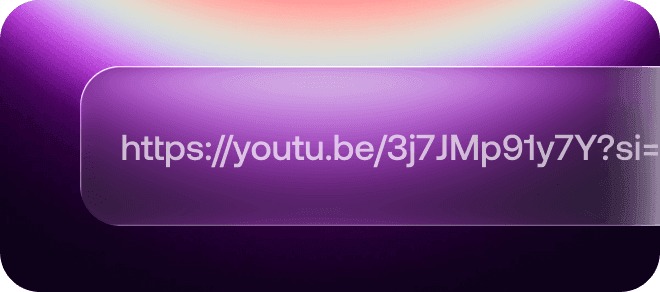
Enter the video link
Step 2
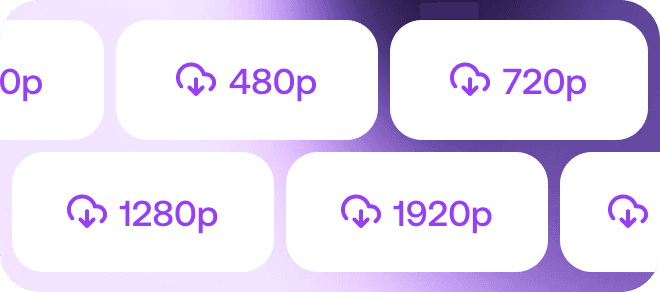
Choose any quality
Step 3

Download the video
Why Use EasyBoost Free YouTube Video Downloader?

Multiple Formats Supported
Download any YouTube video in MP4 format — the most reliable and widely supported option for smooth playback on all devices.

HD Quality Options
Select from 360p, 480p, 720p, 1080p, or even 4K to match your preferred video clarity and file size.

Ad-Free Experience
No pop-ups or distractions — just fast and seamless YouTube video downloads without any intrusive ads.

Full Browser Compatibility
Works perfectly in Chrome, Safari, Edge, Firefox, and other browsers — no installation or extra software required.

Fast Conversion Speed
Optimized for instant performance, EasyBoost converts and downloads your YouTube videos in seconds.

No Watermark
Enjoy clean, high-quality video files without any logos or watermarks — ready to watch, edit, or share anytime.
FAQ
What is EasyBoost YouTube Downloader?

EasyBoost is a free online tool that allows you to download YouTube videos quickly and safely in MP4 format without any software installation.
Is EasyBoost free to use?
Yes! EasyBoost is 100% free. You can download unlimited YouTube videos with no hidden fees or subscriptions.
Do I need to install any software?
No installation is required. EasyBoost works directly in your browser — simply paste the YouTube video link and start downloading.
Which video quality can I choose?
You can select from multiple resolutions including 360p, 480p, 720p, 1080p, or 4K depending on the original video quality.
Can I download videos from other platforms?
Currently, EasyBoost supports only YouTube. Support for other platforms may be added in the future.
Is it safe to use EasyBoost?
Absolutely. EasyBoost is a browser-based tool that doesn’t store or track your downloads. It’s designed for safe and private use.
Why is my video not downloading?
Some videos may be restricted by YouTube or set as private. Make sure the video is public and try again.
Will the downloaded videos have a watermark?
No, all videos downloaded via EasyBoost are clean and watermark-free.
Can I download YouTube Shorts?
Yes! EasyBoost supports downloading both regular YouTube videos and Shorts in MP4 format.
Does EasyBoost work on mobile?
Yes. You can use EasyBoost on smartphones and tablets through your mobile browser without installing any apps.