How to Download YouTube Videos for Free (No Registration)
Learn how to download YouTube videos for free in HD using our fast online tool. No apps or registration required — save YouTube videos in MP4 instantly.
18.11.2025,

EasyBoost
What Is a Free YouTube Video Downloader?
A free YouTube video downloader is an online tool that allows users to save YouTube videos directly to their device. It works without installation, extensions, or an account — everything happens in the browser.
Why Use Our Free YouTube Downloader?
1. 100% Free — No Limits
There are no hidden fees, no premium plans, and no restrictions on the number of downloads.
2. Choose the quality yourself
Choose the format and resolution you need:
- ❇️ 144p
- ❇️ 240p
- ❇️ 360p
- ❇️ 480p
- ❇️ 720p
More formats coming soon.
3. Works on All Devices
The downloader is compatible with:
- ✅ iPhone & iPad
- ✅ Android
- ✅ Windows
- ✅ macOS
- ✅ Any modern browser
4. Fast & Easy Processing
Our optimized engine converts and prepares your video in seconds.
5. Safe and Secure
Your privacy is protected — we do not store your video links, downloads, or personal data.
How to Download YouTube Videos with Our Free Tool
Saving a YouTube video takes just a few steps:
Step 1: Copy the Video URL
Go to YouTube, open the video, and copy the link from your browser or app.
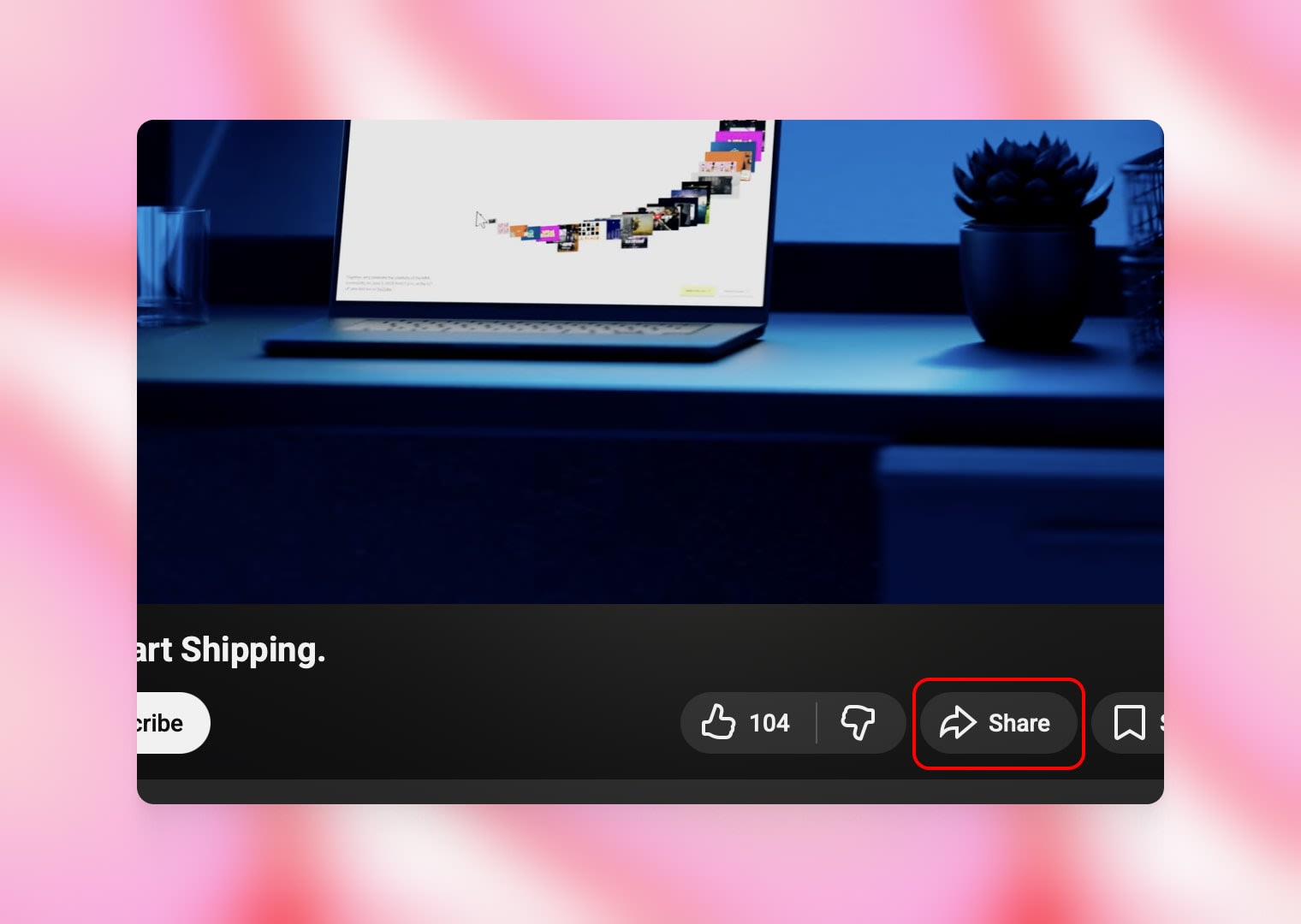
Click “Share”
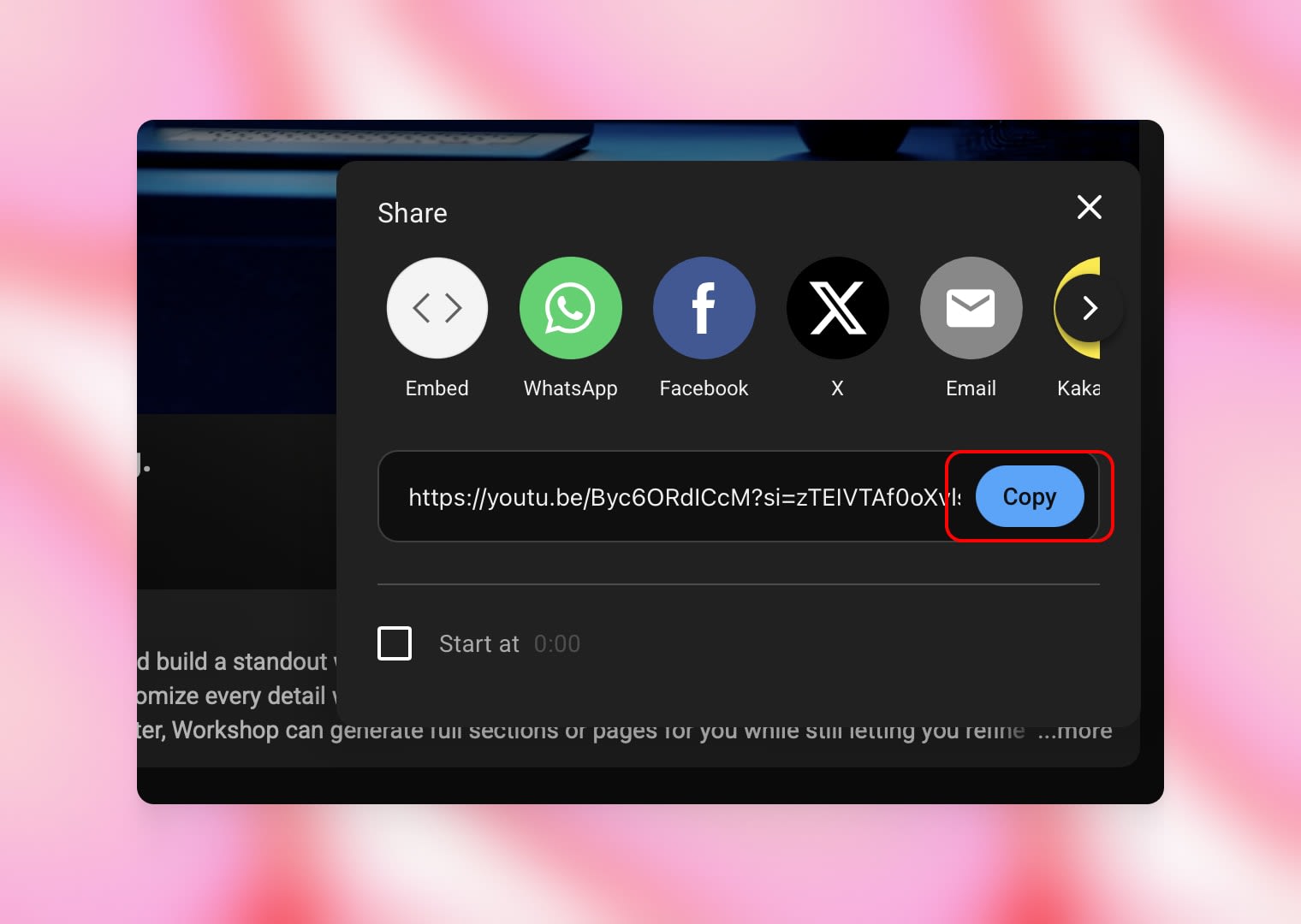
Click “Copy”
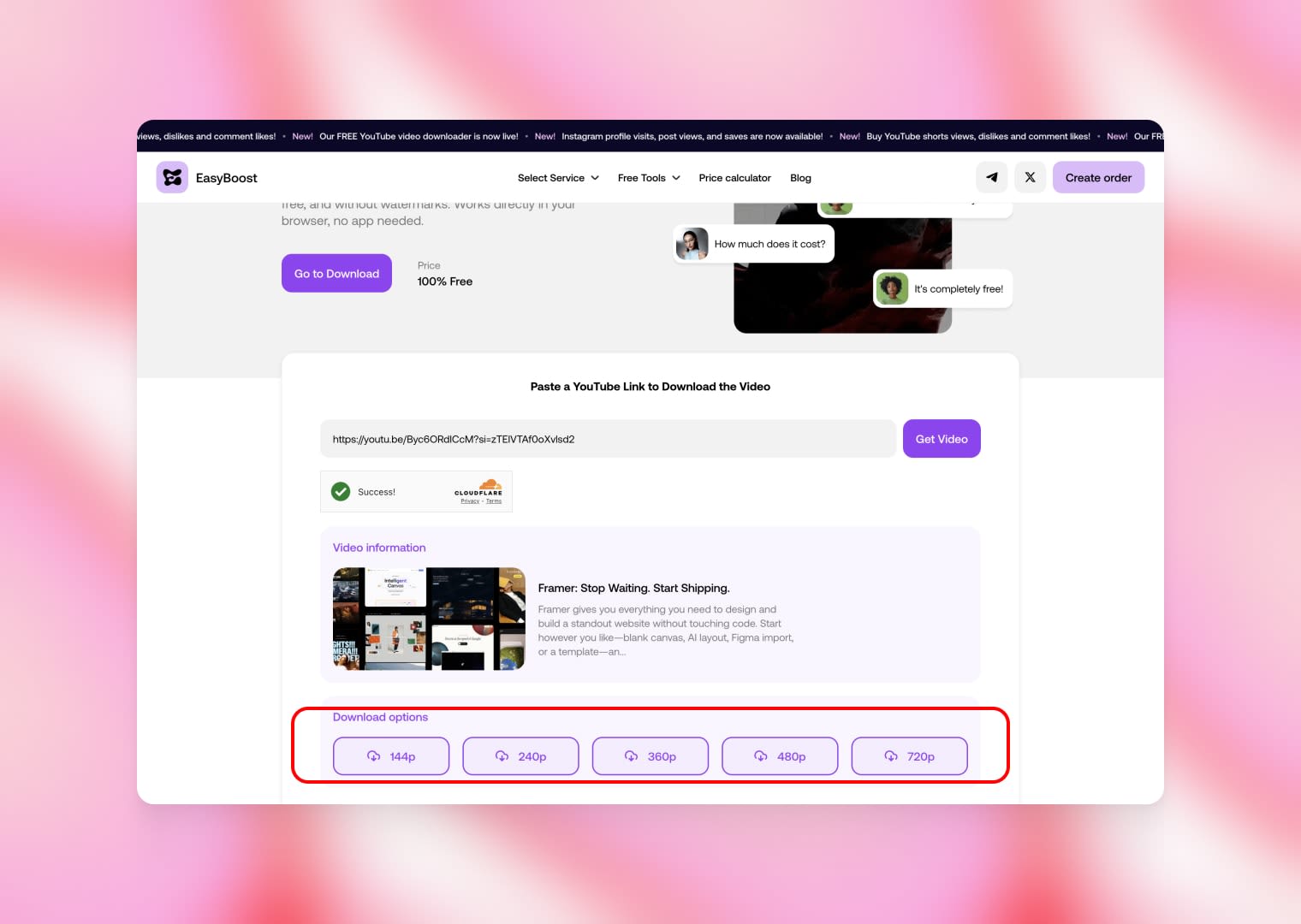
Step 2: Paste the Link into the Downloader
Open our YouTube Downloader and insert the copied URL into the search box and click “Get Video”.
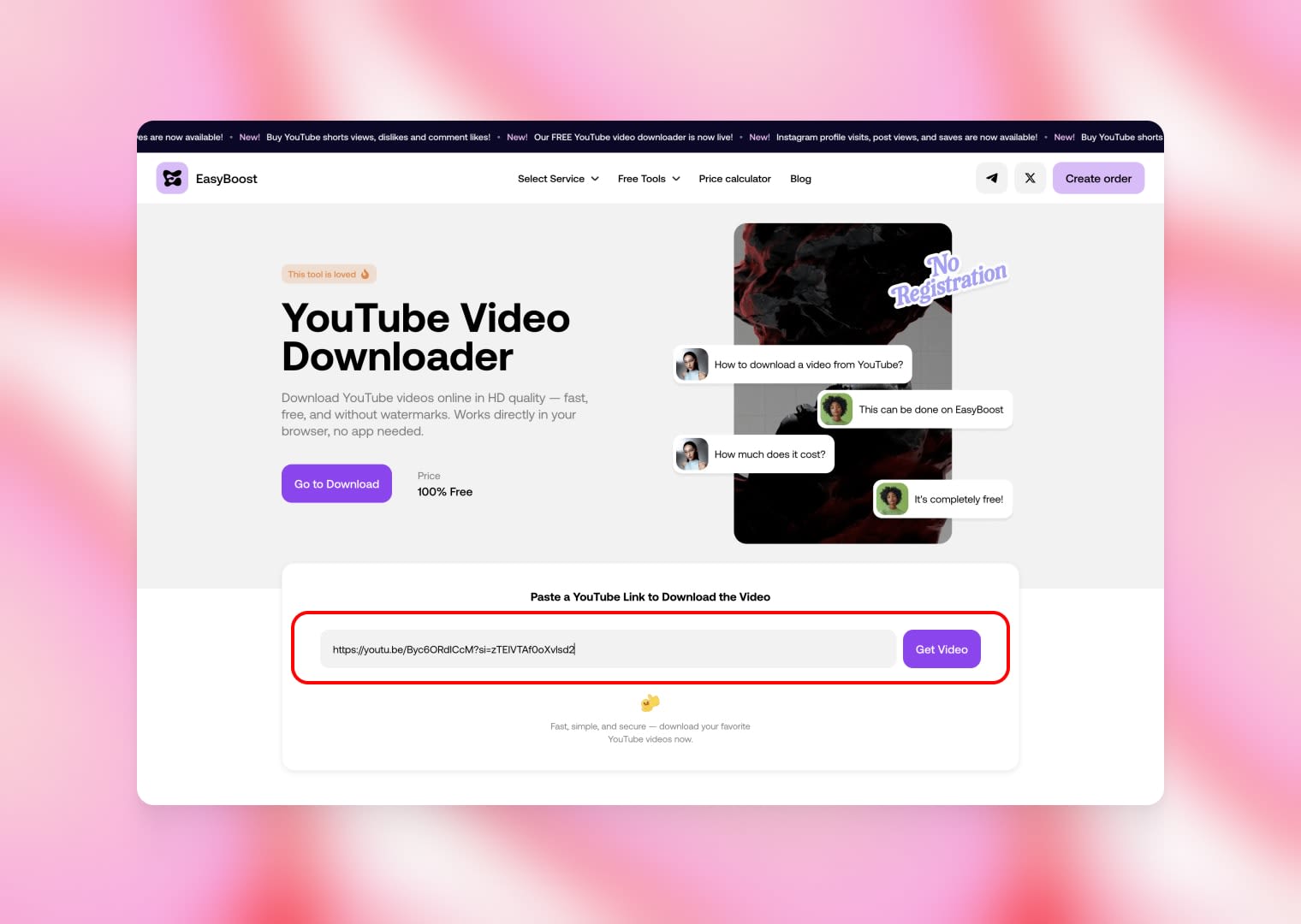
Step 3: Choose the Video Quality
Select the resolution you want to download the video in. Higher quality (like 360p or 720p) may take longer to convert but provides better clarity.
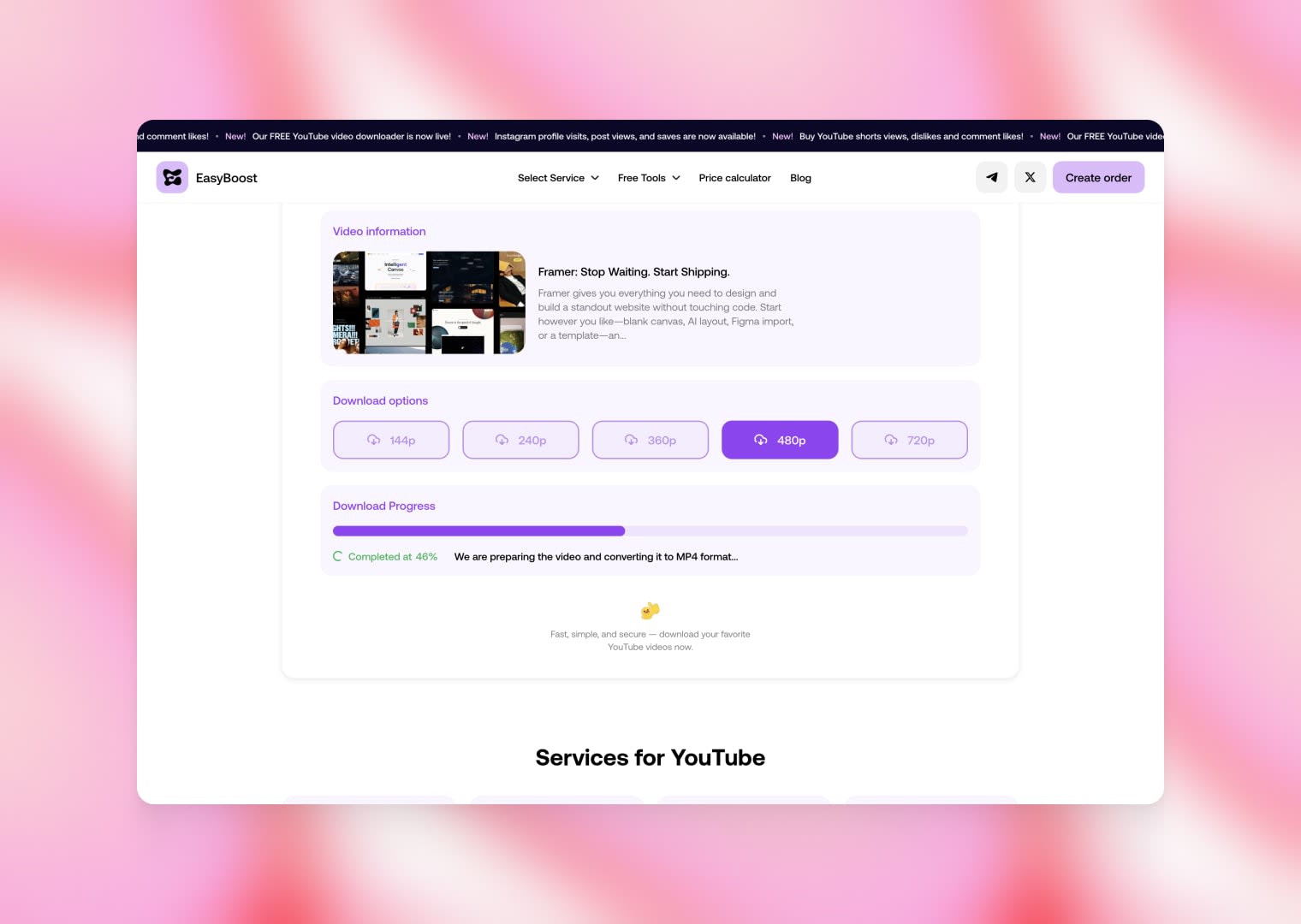
Step 4: Wait for the Video to Convert
Your video is being prepared and converted to the selected MP4 quality. This process may take some time depending on the video’s resolution and length.
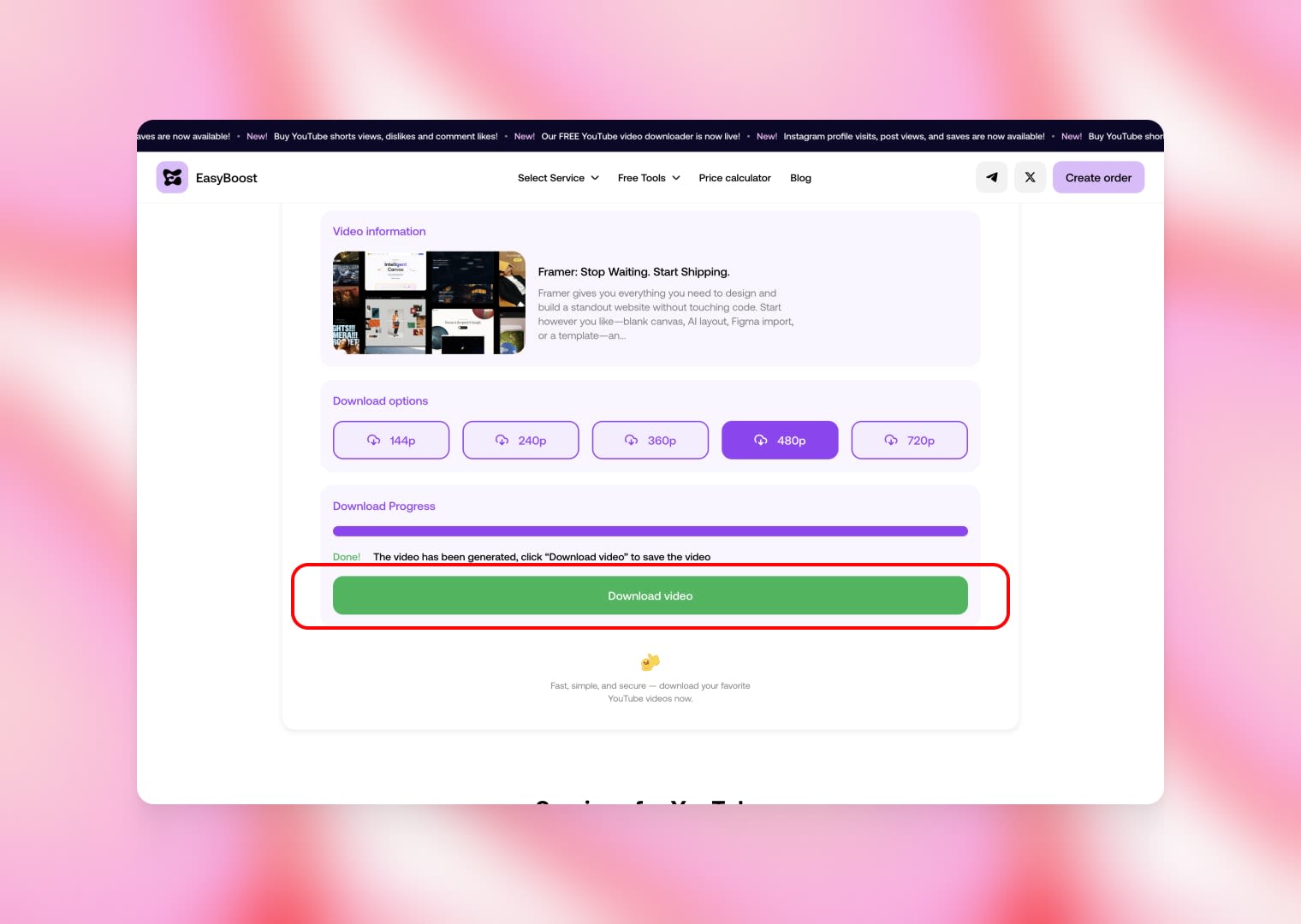
Step 5: Download Your Video
Your video is fully processed and ready to download. Click the button to save the MP4 file to your device.
Is It Legal to Download YouTube Videos?
Downloading YouTube videos is allowed only for personal, non-commercial offline use.
You may download:
- your own uploaded content
- videos with a Creative Commons license
- content where the copyright holder allows downloading
We do not support downloading copyrighted content without permission.
Conclusion
Our Free YouTube Video Downloader is the fastest, easiest, and most reliable way to save videos from YouTube in MP4. It is fully free, secure, and works on all devices — perfect for offline viewing, study, travel, or personal use.
Start downloading your favorite YouTube videos instantly with our powerful online tool.
November 18, 2025